

Robotics Simulation Overview
This section is just to give you a quick overview of the simulation and visualization tools in ROS.
NOTE: This is only to give quick overview of what these terms are. There is a lot to explore and learn in each of the following sub-titles, and we strongly recommend you explore these further as you will perform the tasks.
RViz
- Visualizing sensor information is an important part of developing and debugging controllers.
- Rviz is a powerful 3D visualization tool in ROS that will help you do it.
- It allows the user to view the simulated robot model, log sensor information from the robot's sensors, and replay the logged sensor information.
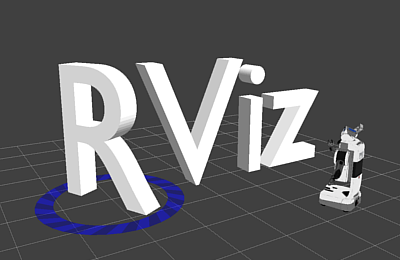
Reference
Gazebo
- Robot simulation is an essential tool in every roboticist's toolbox.
- A robust physics engine, high-quality graphics, and the convenient programmatic and graphical interface make Gazebo a top choice for 3D Simulator.
.World File: This file is used to describe a collection of objects (such as buildings, tables, and lights), and global parameters including the sky, ambient light, and physics properties.

Reference
URDF
- The Unified Robot Description Format (URDF) contains a number of XML specifications for robot models, sensors, scenes, etc.
- It describes the position of all the joints, sensors, type of joints, structure of the robot base, arm etc.
XML(2f)Joint/joint.png)
Reference
XACRO
- Xacro (XML Macros) is a XML macro language.
- With Xacro, you can construct shorter and more readable XML files by using macros that expand to larger XML expressions.
- Xacro is useful when the structure of the robot is complex. So instead of describing the whole structure in an URDF file, we can divide the structure into small parts and call those macro files in the main Xacro file.
- Xacros also make it easier to define common structures. For example, let's say the robot has 2 wheels. We just need to make macros of a cylindrical structure (wheels), call it in the main Xacro file, and then define 2 different joints using the same structure but giving different joint locations.

Reference
ROS & Gazebo
- ROS and Gazebo together are a great combination to simulate how your algorithm would work in real-time scenarios.
Gazebo Plugins
- In addition to the transmission tags, a Gazebo plugin needs to be added to your URDF that actually parses the transmission tags and loads the appropriate hardware interfaces and controller manager.
- Plugins basically replicate the exact architecture of the sensors in use or the control system used to control the movement of the robot.