

Mapping - Using slam-toolbox
1. First pull the latest repo of eYRC-2023_Cosmo_Logistic in your workspace.
- Check for the pkg
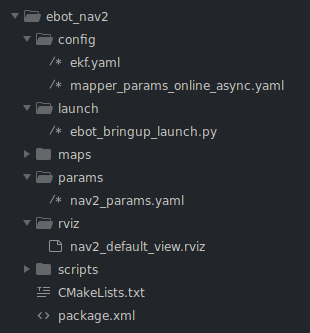
ebot_nav2and below is the file structure.
2. Check for the slam-toolbox installation.
ros2 pkg list | grep slam_toolbox
- You should get
slam_toolboxas output, which means we are good to go. - If not, install
slam_toolboxusing,
sudo apt install ros-humble-slam-toolbox
3. Set the parameters for slam-toolbox in file mapper_params_online_async.yaml in dir /ebot_nav2/config/.
    # ROS Parameters
    odom_frame: odom   #>> /odom is our odometry frame
    map_frame: map   #>> wrt "map" frame we will be getting the map
    base_frame: base_footprint  #>> eBot base_frame is base_footprint, you can check it using `ros2 run tf2_tools view_frames`
    scan_topic: /scan  #>> LiDAR data is on this topic
    mode: mapping #localization  #>> Currently we will be mapping using slam-toolbox.
- All the params are set.
4. Loading the mapper_params_online_async.yaml and adding the slam_toolbox node in out ebot_bringup_launch.py launch file in dir /ebot_nav2/launch/, it's already added in launch file.
	# Loading the params
    declare_mapper_online_async_param_cmd = DeclareLaunchArgument(
        'async_param',
        default_value=os.path.join(ebot_nav2_dir, 'config', 'mapper_params_online_async.yaml'),
        description='Set mappers online async param file')

	# Adding slam-toolbox, with online_async_launch.py
    mapper_online_async_param_launch = IncludeLaunchDescription(
        PythonLaunchDescriptionSource(
            os.path.join(get_package_share_directory('slam_toolbox'), 'launch', 'online_async_launch.py'),
        ),
        launch_arguments=[('slam_params_file', LaunchConfiguration('async_param'))],
    )
- To know more about check here
4. Just add this as the object of LaunchDescription() in the same launch file, in the last.
	ld.add_action(declare_mapper_online_async_param_cmd)
    ld.add_action(mapper_online_async_param_launch)
- Just save it
5. Launch the ebot_gazebo_launch.py, teleop and ebot_bringup_launch.py
ros2 launch ebot_description ebot_gazebo_launch.py
ros2 run teleop_twist_keyboard teleop_twist_keyboard
ros2 launch ebot_nav2 ebot_bringup_launch.py
- You will get output like this,
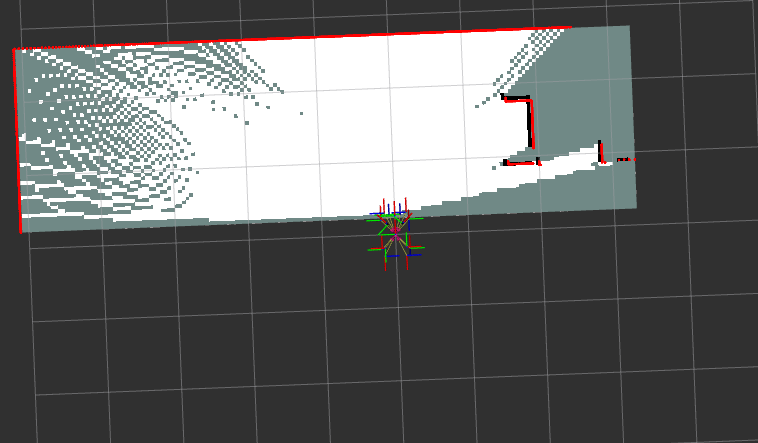
Now keep maving the eBot using teleop_twist_keyboard in the warehouse and grab the whole map perfectly.
Hint: GO SLOW ! Next step is very important