

Task 2B - Instructions
Note: Before attempting the task make sure you have gone through,
Task:
For this, you have to,
-
Write a Python script
ebot_docking_service.pyfor docking the eBot with the rack using the ultrasonic sensors and P-controller logic. -
Write another python script
ebot_nav2_cmd.pythat will- Navigate the ebot using Nav2
- Trigger the docking service that will dock the ebot
- Attach/Detach the rack with the ebot using Attach/Detach service
- On the Arena you have 2 racks with the box, and for this task, you are supposed to
- a) Go to the
rack 1 - b) Dock the
rack 1using the docking service - c) Attach the
rack 1 - d) Go to arm pose 1 (AP1) and Detach
rack 1 - e) Return to home pose
- a) Go to the
Refer below figure to clear things out,
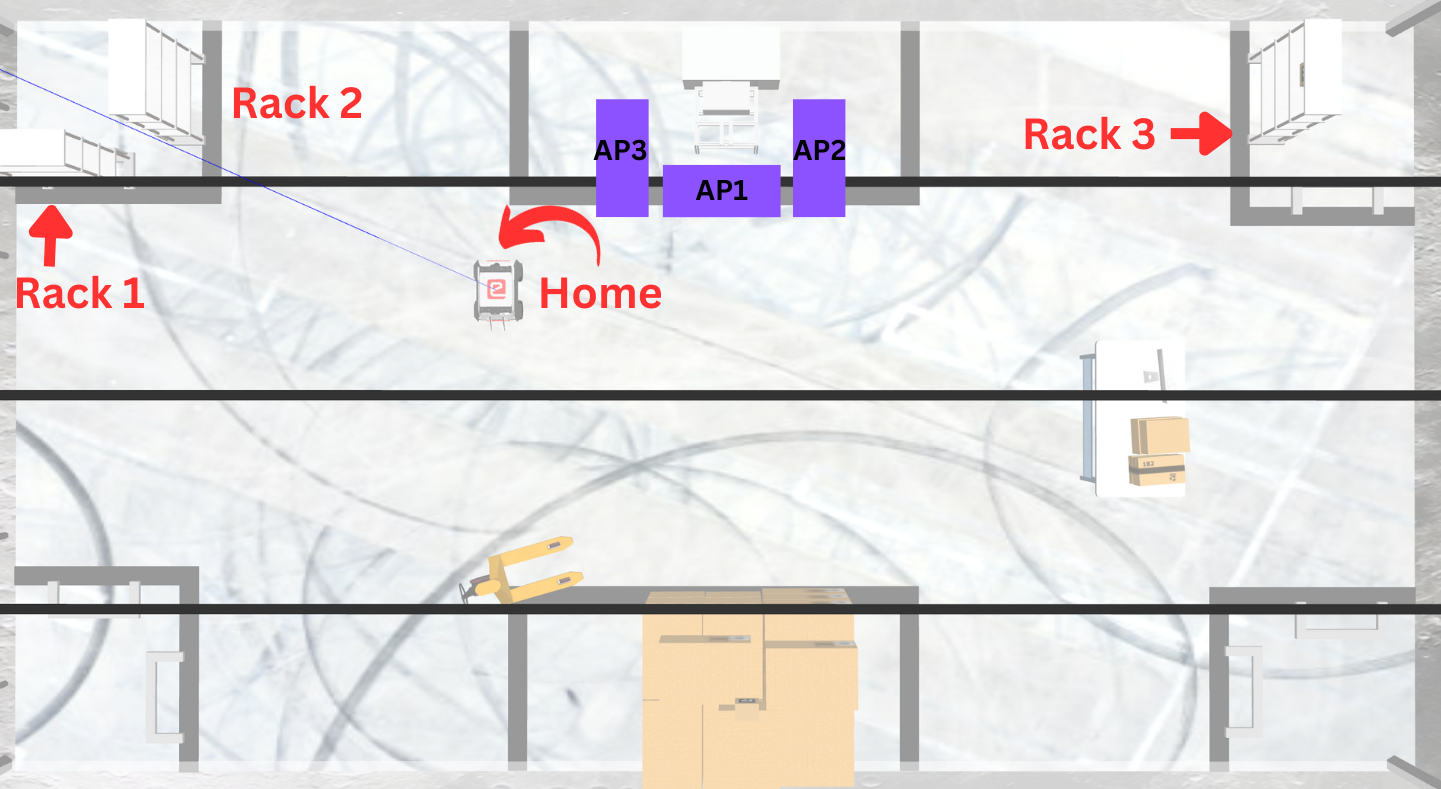
Here,
-
AP1 :
[0.5, -2.455, 3.14] -
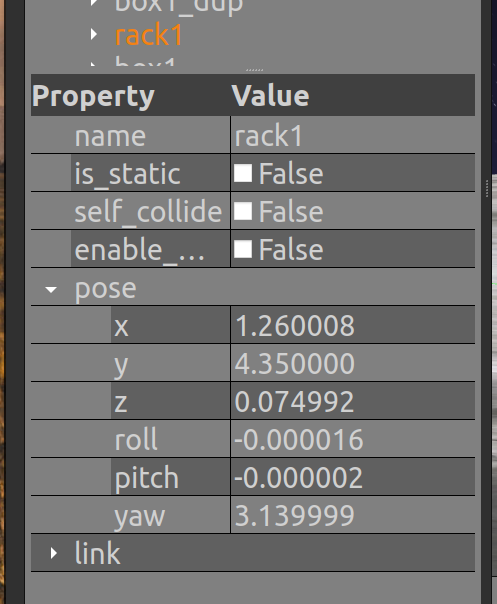
Rack pose can be determined from the Gazebo. Right panel, under
Models >> rack1and in theProperty >> pose. RACK1 :[1.26, 4.35, 3.14]
- The allowed tolerances:
Pose: +-0.3 mOrientation: +-10 degrees
Process
To complete this task you will first have to map the warehouse again. You will find resources to help you through this task in the Mapping subsection of ROS2 Navigation in Learning Resources Section of this mdbook.
Once you have created the map, you can now continue with making the ebot_docking_service.py for which you can refer to ebot_docking/scripts/ebot_docking_boilerplate.py, this will be the docking service server to dock the eBot with the rack.
Important: Once you are done building the script in a pkg you also have to update the
CMakeList.txtof that pkg, like this below oneinstall(PROGRAMS scripts/ebot_docking_boilerplate.py <---Add the script like this DESTINATION lib/${PROJECT_NAME} )and do the
colcon buildagain
Finally, Build the ebot_nav2_cmd.py to do the whole pick and place of the rack 1.
Hint:
- You can refer Simple Commander API by Nav2 to make the script for eBot.
- To know about P-Controller refer to this
- For tuning of navigation you might need to tune
controller_serverandvelocity_smootherfor proper linear and angular motion.
You may watch the expected output video recording to clear out any confusion.
Expected Output
(So, to get excellent results and marks tune your parameters, again! ;p)
Optional Task:
TASK A : Since the bot is planning with the current ebot base size defined in nav2_params.yaml under local cost_map - footprint and under global cost_map - robot_radius. When the ebot is attached to the rack, the planner will still plan as per the same dimensions, Think of something more robust way. So that ebot can plan robustly.
TASK B : Also you can see once the rack is picked by the bot, the map does have the rack footprint on the map, what can we do about that ??
Hints will be given in the TASK 2B Live Session Video, do attend!!
Note: Deadline for the submission of this task is 10th November, 2023