

Task 1C - Instructions
Note: Before attempting the task make sure you have gone through the Learning resources - Autonomous Navigation .
Important Note: Pull the latest repo of
eYRC-2023_Cosmo_Logisticand do thecolcon buildfor this task
Task:
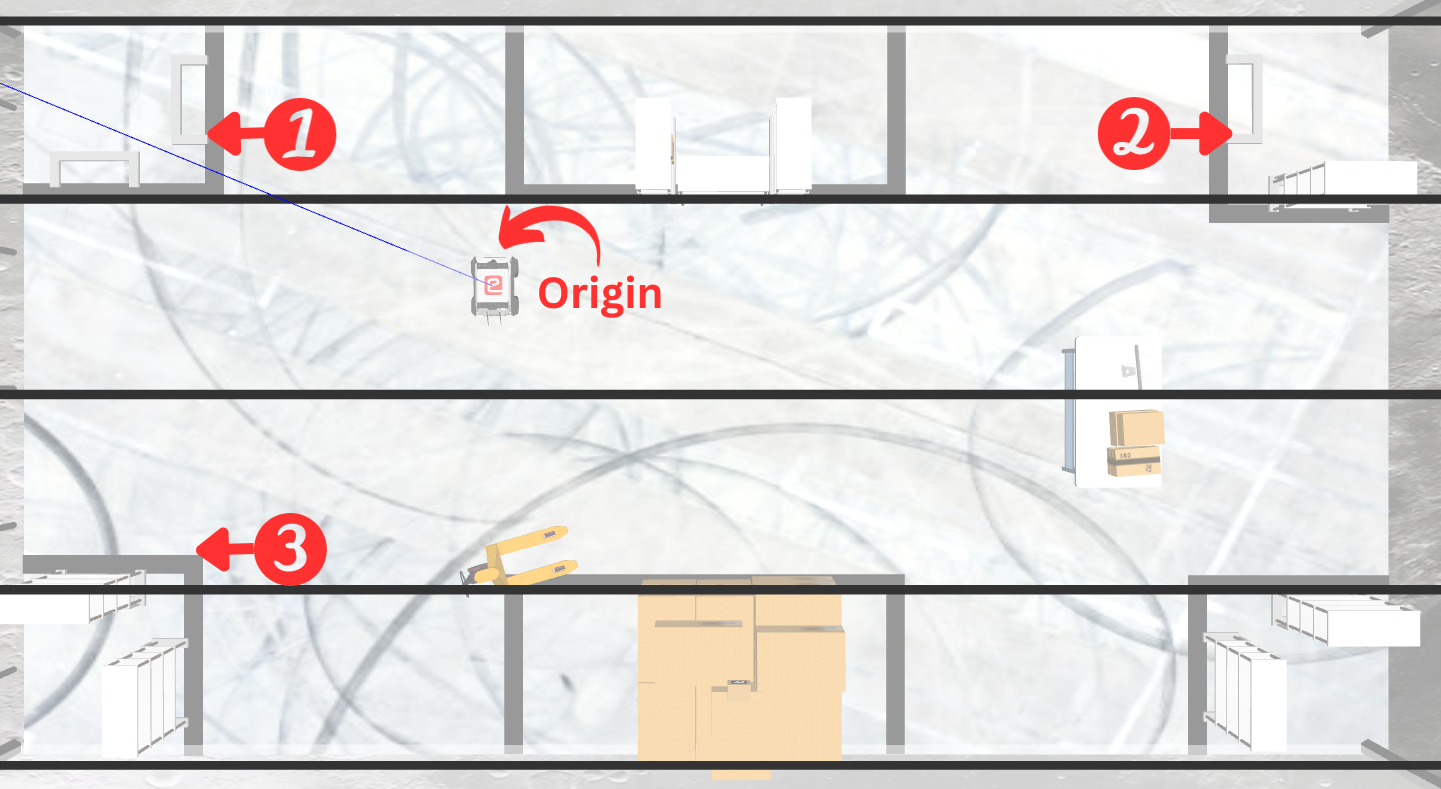
For this you have to write a single Python script ebot_nav_cmd.py to navigate the eBot through the Pose (x,y) and Orientation (yaw) i.e. [x, y, yaw] in the order of
- P1 : [1.8, 1.5, 1.57]
- P2 : [2.0, -7.0, -1.57]
- P3 : [-3.0, 2.5, 1.57]
The allowed tolerance:
Pose: +-0.3 mOrientation: +-10 degrees
Process
In order to complete this task you will first have to map the warehouse. You will find resources to help you through this task in the Mapping subsection of ROS2 Navigation in Learning Resources Section of this mdbook.
Once you have created the map, you can try navigating in the map using rviz. A Guide to navigation using ROS2 is provided in the Navigation subsection of ROS2 Navigation in Learning Resources Section of this mdbook.
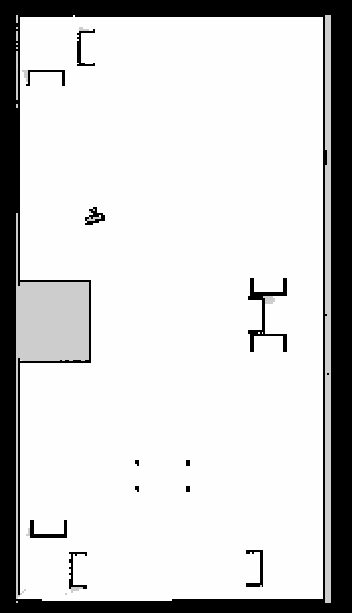
Here you have to build the map using slam_toolbox, that you need to submit with other requirement in this task.
It should look something like map_name.pgm this one below,
And now you may proceed with scripting the Python script nav2_cmd.py to navigate the eBot.
Hint:
- You can refer Simple Commander API by Nav2 to make the script for eBot.
You may watch the expected output video recording to clear out any confusion.
Expected Output
Here as we are just providing the [x,y,yaw] to the nav2 stack, your output will be as per your tuning of Nav2 parameters in nav2_param.yaml.
(So, to get excellent result and marks tune your parameters ;p)
Optional Task:
- Make it move from P3 -> P4, where P4: [-1.0, -5.0, 1.57], Hint: Tuning is required
- Make it move from P3 -> P5, where P5: [-1.0, -8.0, 1.57], Hint: How to mark a Avoiding Zone in map? Refer here
Note: Deadline for the submission of this task is 16th October, 2023